

Why Use the Sandbox?
The Sandbox environment is your essential playground for:- Risk-Free Testing: Experiment with different API calls, edge cases, and error handling without impacting real users or funds.
- Rapid Iteration: Develop and debug your application’s integration quickly and efficiently.
- Feature Exploration: Explore Busha before going live.
- Simulated Scenarios: Mimic various user flows and transaction outcomes (e.g., successful deposits, failed payouts, specific error codes).
How to Setup your Sandbox
1
Connect to the Sandbox Environment
The primary difference between the Sandbox and the Production environment is the base URL used for API requests.To connect to the Sandbox: Ensure your API calls target the following base URL:
https://api.sandbox.busha.so2
Generate Your API Keys
The API key you generated in the Quick Start Guide is valid for the Sandbox environment.To use your API keys in the Sandbox environment, continue to use your
Authorization: Bearer {your_secret_api_key} header with the Secret API Key you obtained previously for all Sandbox requests.3
Explore and Test Endpoints
With your environment configured, you can now start sending various requests to the Sandbox API. Think about the features you want to integrate into your application and try making the corresponding API calls.Let’s retrieve our Sandbox account balances:Expected Response:
Funding Your Sandbox Account
Before you can test transfers, quotes, or payouts, your sandbox account needs a balance. Since Sandbox doesn’t move real money, you can simulate a fiat deposit directly from the dashboard in a few clicks.1
Open the Deposit menu
View screenshot
View screenshot
Once you’ve completed KYB and your business account is verified, go to your Sandbox dashboard. To fund your sandbox account with fiat, you can simulate a deposit by clicking on the deposit icon.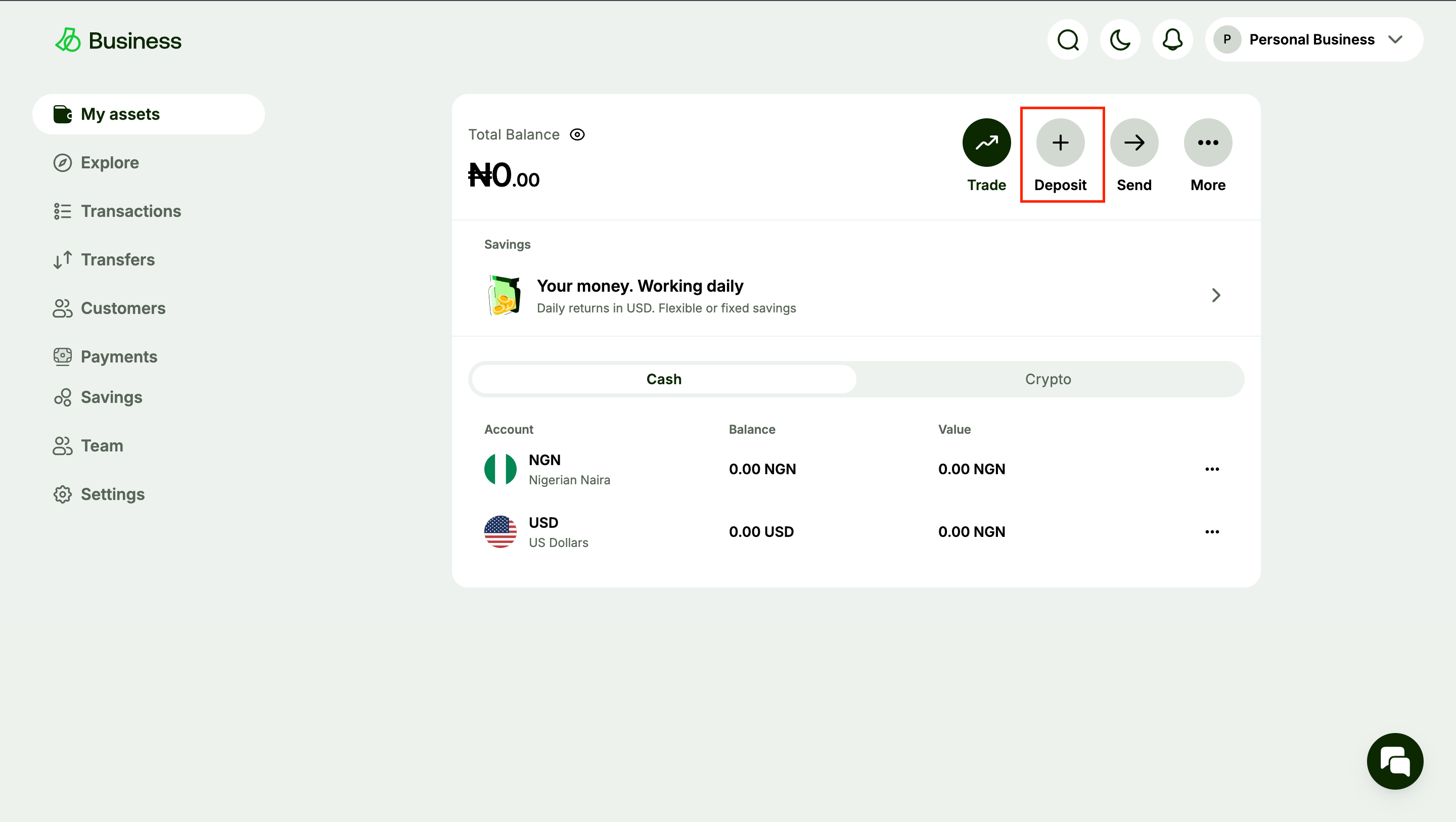
2
Select 'Deposit cash'
View screenshot
View screenshot
From the dropdown, click on Deposit cash.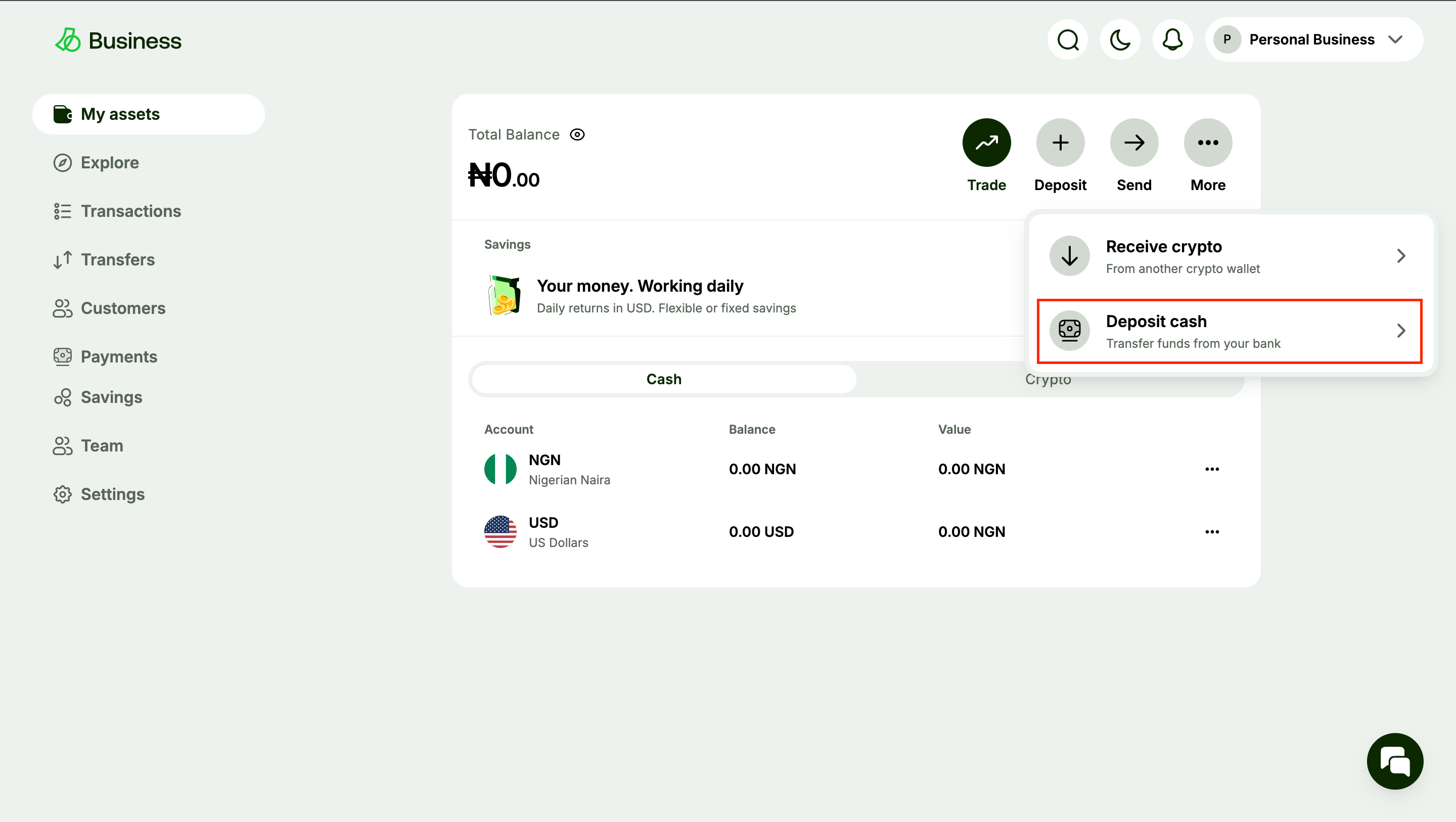
3
Select your currency
View screenshot
View screenshot
Select your preferred currency.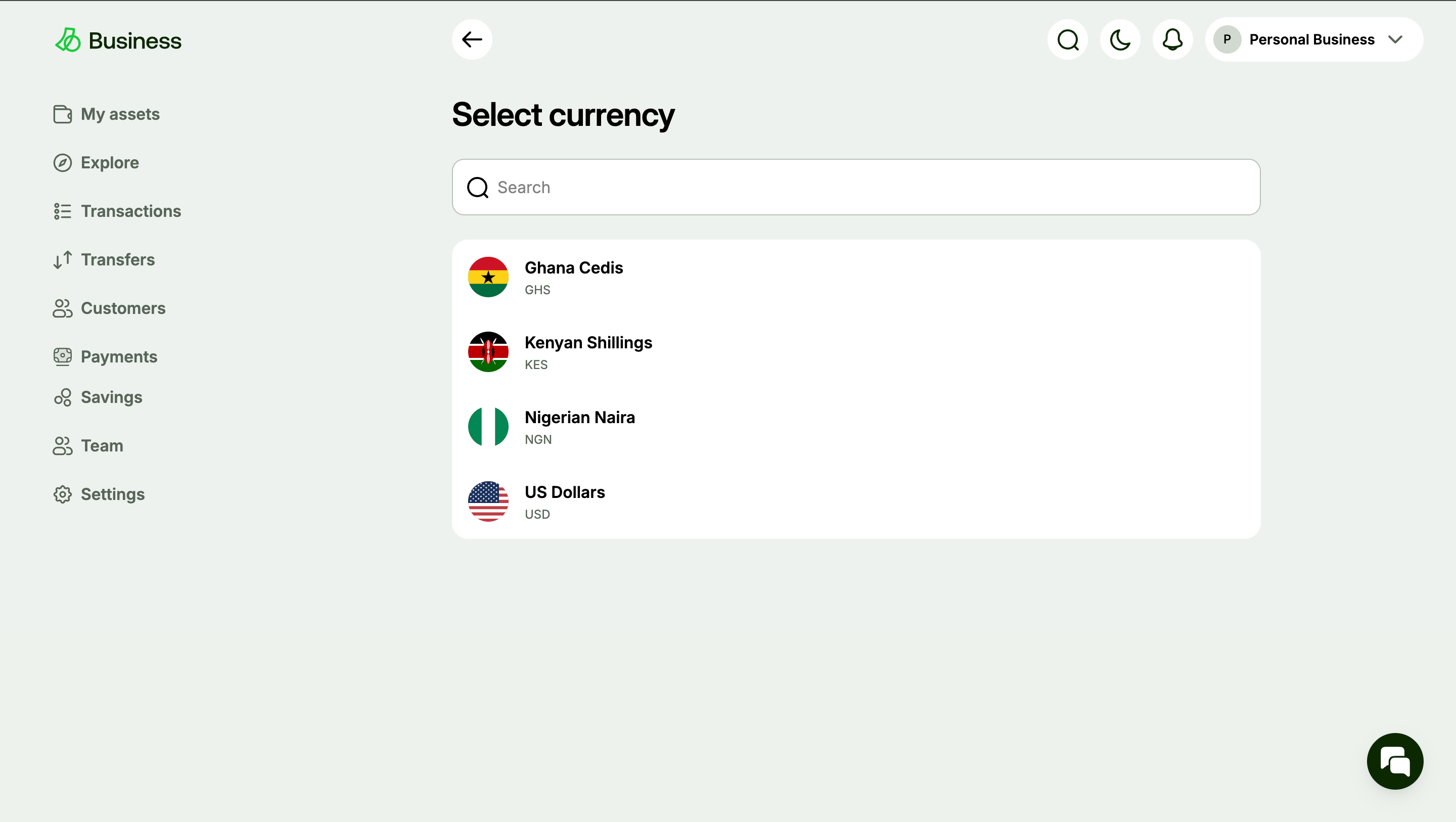
4
Enter an amount
View screenshot
View screenshot
Enter an amount and continue.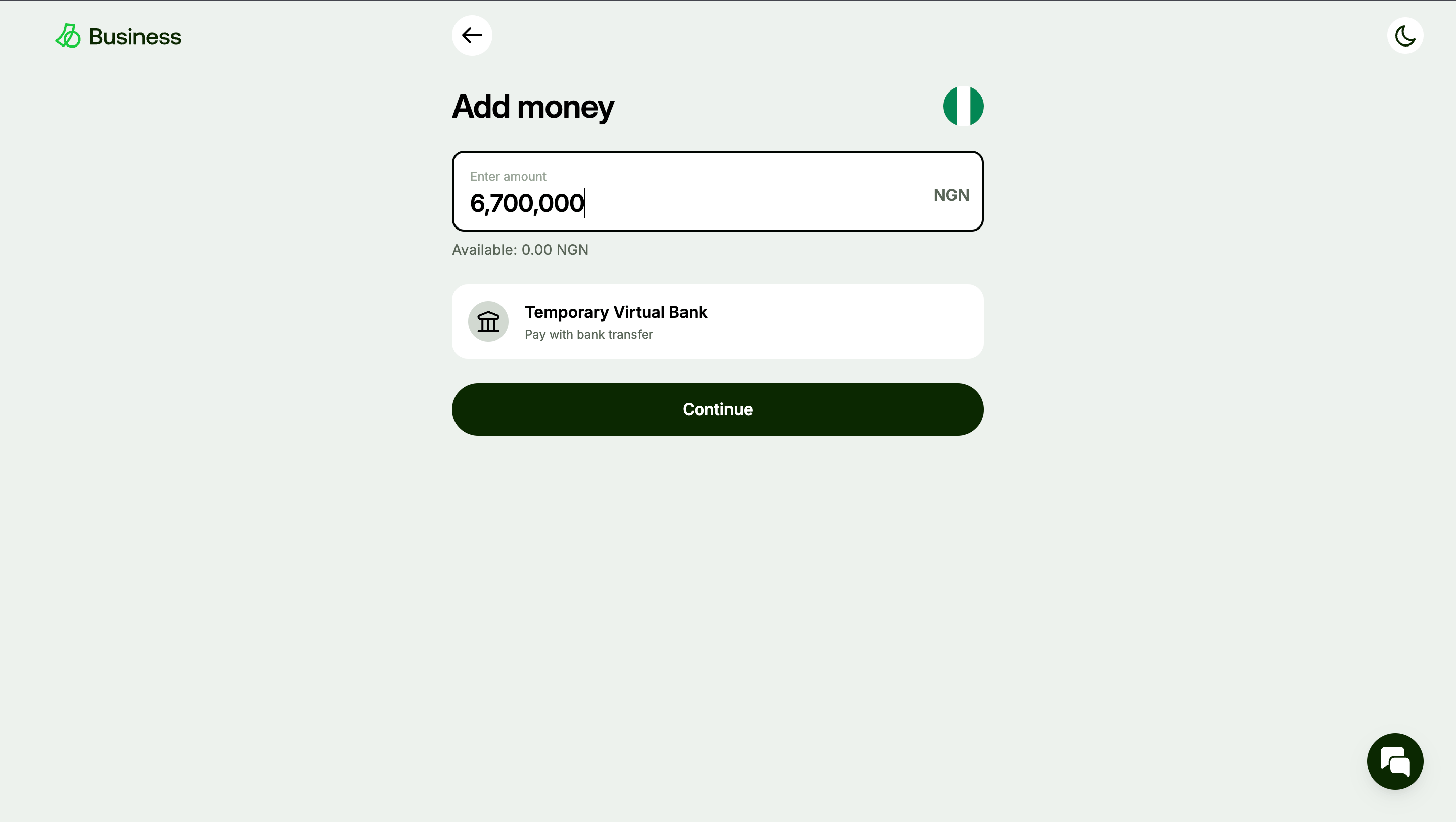
5
Confirm the simulated transfer
View screenshot
View screenshot
You’ll be directed to the details screen. Click I have made the transfer, and your account will be credited.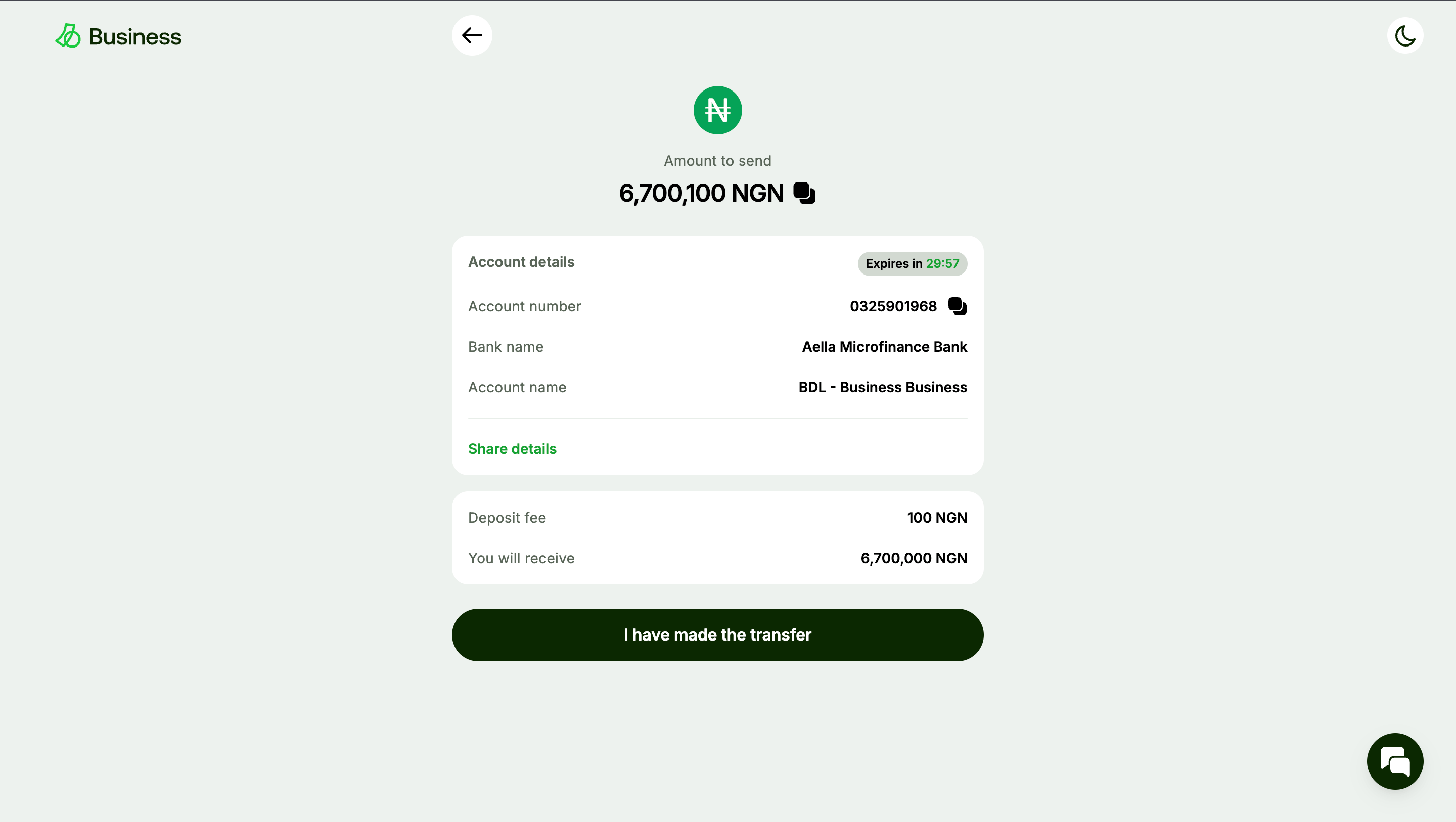
You can now convert these funds to other fiat currencies or crypto via the API
or the dashboard for your testing.
Important Sandbox Notes & Limitations
- No Real Funds: All transactions performed in the Sandbox are simulated. No actual money will move, and your real balances remain unaffected.
- Test Data: The Sandbox may contain predefined test accounts or mock data. Do not expect it to reflect your live production balances.
- Rate Limits: While generally more lenient than production, observe fair usage. Excessive requests might still be rate-limited.
- Feature Parity: The Sandbox aims for high feature parity with production, but some advanced or newly released features might not be immediately available or behave slightly differently. Always check the API reference for specific endpoint statuses.
- Error Simulation: The Sandbox is excellent for testing error handling. You can often trigger specific error responses by using certain invalid inputs. Consult the Error Handling Reference for details on how to simulate common errors for robust error handling in your application.